How-to guide
Fix a past workout
Logged the wrong weight, forgot a set, or trained without your phone? Every finished workout can be fixed from the Workout log, and a missed one added there.
40-second clip, with sound
Fix a set and the date
- On the Progress tab, tap Workout log.
- Tap the set you got wrong, fix it, and tap Save.
- Tap the date at the top, pick when it really happened, and tap Save.
-
Open the workout
On the Progress tab, tap Workout log. Workouts are listed newest first, under a header for each day. Tap one to open it.
-
Change or delete a set
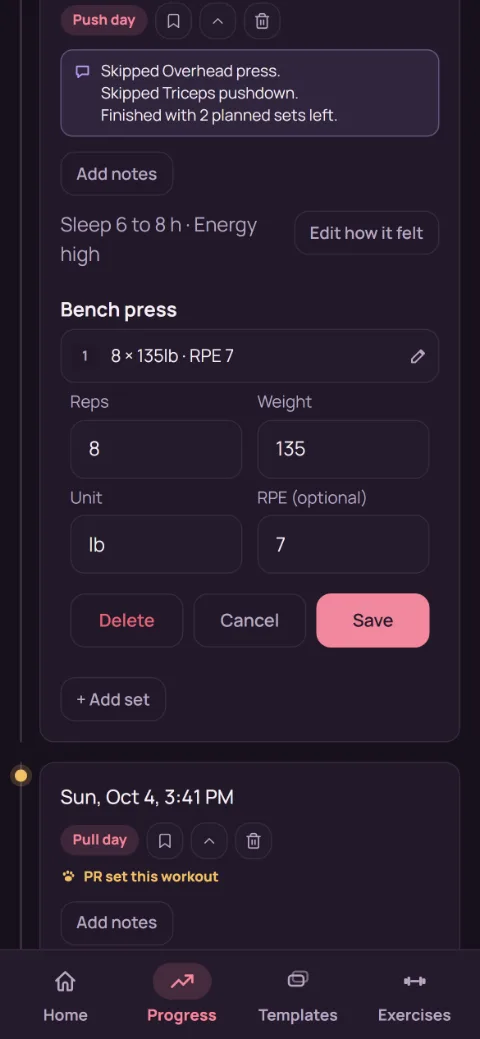
Tap a set to edit it. Change the reps, weight, or RPE and tap Save. To remove it, tap Delete, then Confirm delete.
-
Add a set you forgot
Tap + Add exercise at the bottom of the workout, pick the exercise, fill in the set, and tap Save. For one more set of an exercise that's already there, tap + Another set under it: it starts from that exercise's last set.
-
Move it to the right date
Tap the time at the top of the open workout, pick when it really happened, and tap Save. It can't be later than now. The log, calendar, and charts all move it to that day.
-
Log a workout you didn't track
Tap + Log a past workout under the Workout log's title, pick when it was (and a routine, if it followed one), and tap Add exercises. Then add its sets the same way as above. No timers start, and it counts toward that week like any other workout.
-
Notes and how it felt
Tap Add notes (or Edit notes) to write down anything worth remembering. Add how it felt sets the workout's sleep, energy, and stress tags (see How did it feel?).
-
Delete the whole workout
Tap the bin at the top of the open workout, then Confirm delete. This can't be undone, so back up first if you're unsure.
-
What updates
Charts, records, Next time targets, and milestones all follow the edited sets, so a typo fixed here stops skewing your progress.
Still stuck?
Email hello@repbunny.app and tell us what happened. A screenshot helps.
Get RepBunny
On Google Play now. iPhone coming soon.
Get it onGoogle Play