How-to guide
Themes
Make RepBunny yours. Pick a theme for the whole app, and if the bunny art is a lot mid-workout, switch to Minimal. Chalk and Minimal are free; the other themes are part of Premium, and you can try any of them first.
-
Open Theme
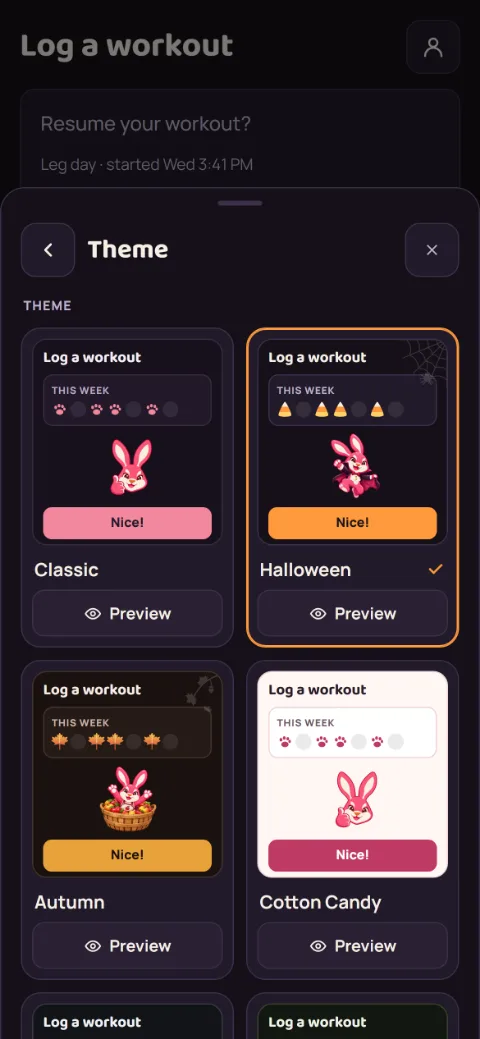
Tap the account button at the top right, then Preferences, then Theme.
-
Pick a theme
Tap a theme under Theme. It changes the whole app right away, backgrounds and all, and some themes bring their own bunny. Classic and Chalk are free. Halloween swaps in pumpkin orange and dresses the bunny up in costumes (a vampire, a pirate, a mummy, a ghost, and more), hangs a few spider webs, and puts candy corn on your week tracker and record screens. Autumn is maple, rust, and gold on dark bark, with a bunny out for the harvest (apple picking, a wagon of pumpkins, a nap in the leaves): maple leaves on your week tracker, a little leafy sprig in a corner or two, and falling leaves when you set a record. Christmas is cranberry and evergreen on deep plum, with a cozy bunny by the fire, unwrapping presents, and reading by the tree: candy canes on your week tracker, and more of them falling when you set a record. Valentine's Day is hot pink and blush on deep burgundy, with a bunny soaking in a heart shaped hot tub, flexing as a cupid, and curling heart dumbbells: candy hearts on your week tracker, and a shower of them when you set a record. Easter is a pastel light one: deep lavender and robin's egg blue on cream, with a bunny napping in an Easter basket, winning the egg and spoon race, and hunting for eggs: carrots on your week tracker, and more of them falling when you set a record. Cotton Candy is a light one: cream and soft pink with a berry accent, for bright gyms and daytime. Chalk has no pink at all: chalk white on dark graphite with a steel-blue accent, and it goes well with the Minimal bunny. Carrot Patch is a garden: carrot orange and leafy green on dark soil, with carrots on your week tracker and raining down when you set a record. Sunrise is another light one: warm peach and apricot with a morning-sky blue, for light mode without the pink. Records and errors keep colors that stand out in every theme.
-
Pick a mascot style
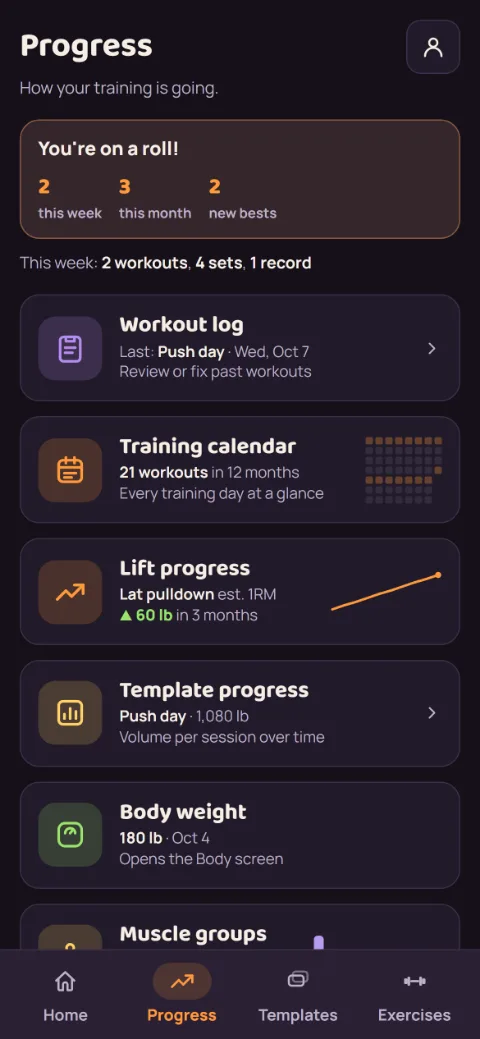
Full shows the bunny art and the confetti when you set a record. Minimal keeps just the small app mark. You still get told about a record or your first workout, in plain text.
-
Pick an outfit
Under Outfit, choose what the bunny wears, whatever the theme. Match theme is the default: the bunny dresses for your theme, so Halloween gets its costumes and Autumn its harvest outfits. Pick Halloween, Autumn, Christmas, Valentine's Day, or Easter to keep that outfit on any theme, like the Halloween costumes on Chalk. Holidays changes on its own: Valentine's outfits in February, Easter outfits in the month Easter falls in (March or April), Halloween costumes in October, harvest outfits in November, Christmas outfits in December, and the classic bunny the rest of the year. Outfits only show with the Full mascot.
-
Pick an app icon
In the RepBunny app, scroll to App icon at the bottom of the Theme screen. Default is the icon this version of the app ships with, which changes with the seasons. Classic keeps the original rose icon all year. Most themes have a matching icon too: the same bunny and dumbbell in that theme's colors, on a painted background. Tap one and your home screen icon changes. It's a separate pick, so you can use one theme inside the app and another's icon outside. Your phone may show a short message about the change. If Premium ever ends, you keep the icon you picked. Default and Classic are free. Without Premium, tapping another icon shows how it looks on a home screen first.
Under it, Seasonal icons has four more: Autumn, Halloween, Snow Globe, and Christmas, each with the same bunny on seasonal art. The app never changes your icon on its own, so swap back whenever the season ends.
-
Try before you unlock
Each theme shows a small preview of itself. Tap Preview under one to see it full screen on Home, the rest timer, and a record, then Keep it with Premium or Not now. You can also tap the theme itself: without Premium, a pick is a preview you can see right away. Tap Keep it with Premium to unlock it, or Go back to return to Classic. Leaving the Theme screen goes back too.
Still stuck?
Email hello@repbunny.app and tell us what happened. A screenshot helps.
Get RepBunny
On Google Play now. iPhone coming soon.
Get it onGoogle Play