How-to guide
Switch between lb and kg
Lift in pounds or kilograms. Set your usual unit once, and change it for a single exercise whenever you need to.
-
Set your usual unit
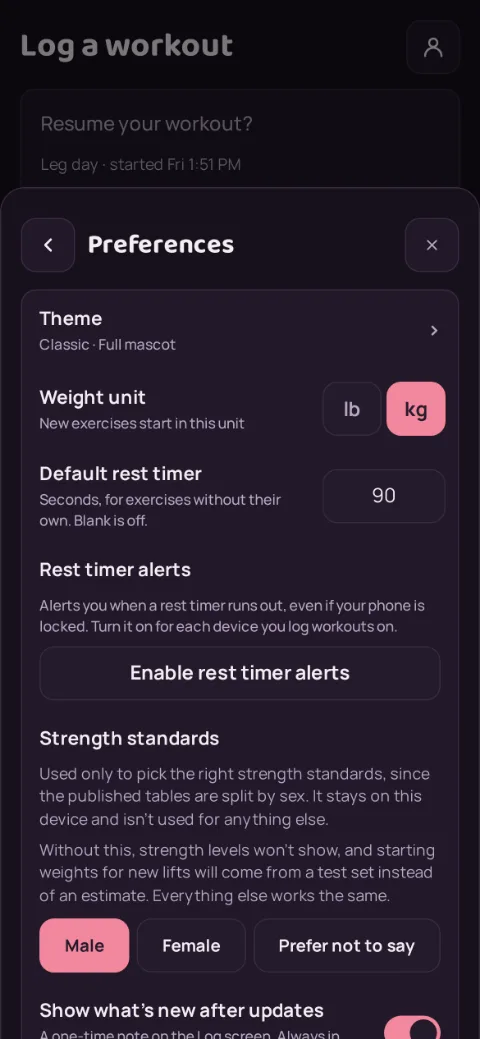
Tap the account button at the top right, then Preferences. Under Weight unit, pick lb or kg. New exercises start in this unit. You also pick it the first time you open the app, on the Which unit do you lift in? screen.
-
Switch one exercise
While you log, tap lb or kg on the line above the sets. Weights you have typed but not saved convert for you. Sets you already logged keep the unit they were saved in.
-
Your history stays right
Charts and totals convert sets logged in the other unit, so switching never breaks your progress.
Still stuck?
Email hello@repbunny.app and tell us what happened. A screenshot helps.
Get RepBunny
On Google Play now. iPhone coming soon.
Get it onGoogle Play