How-to guide
Log a workout
From your first set to the recap at the end. Most sets take one tap, because RepBunny fills them in from last time.
41-second clip, with sound
Your first set
- On Home, tap Start a workout.
- Search for an exercise, tap + Add, then Done.
- Type the weight and reps.
- Tap the check to log the set.
-
Start a workout
On Home, under What are you training today?, tap one of your routines. Or tap Freeform to add exercises as you go. Tapped the wrong one? Wrong workout? Change it shows until you log your first set. Brand new? Pick Just log as I go at the end of setup (or, if you skipped setup, tap Start a workout on the welcome card) and pick your first exercise from the library, or make your own.
-
Log each set
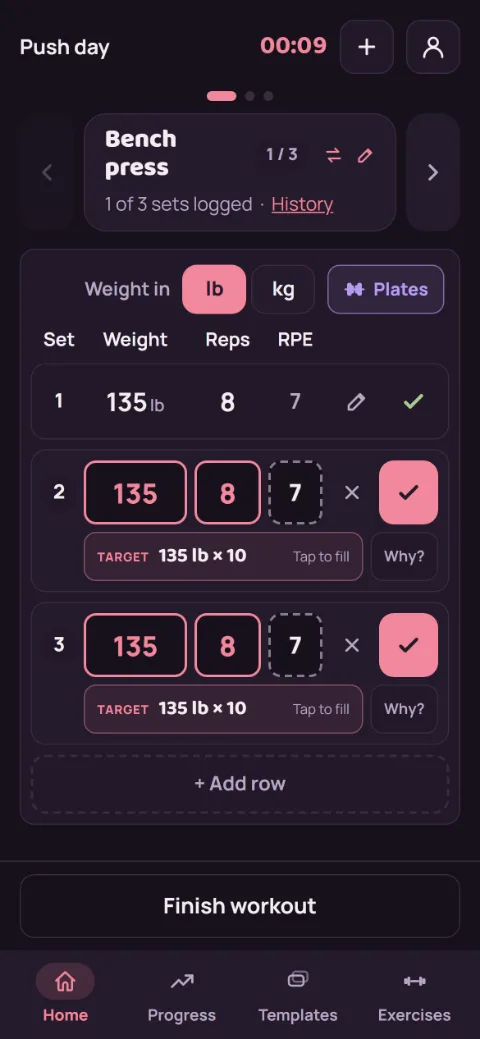
Each row is one set, filled in from the same set last time. Change the weight or reps if you need to (RPE is optional), then tap the check to log it. The rest timer starts. Need an extra set? Tap + Add row.
A new record gets a full-screen celebration. Smaller wins, like your heaviest yet, a rep best, or hitting your target, get a chip on the row and a line on the rest screen. Want the full screen for those too? Under Account, then Preferences, set Record celebrations to All wins.
-
Move between exercises
Swipe the exercise card left or right, or tap the arrows or dots above it. When you finish an exercise’s planned sets, RepBunny moves you to the next one. The pencil by the name holds machine setup notes like a seat height, and History shows what you did before. For how the lift went today, tap + Note for today under your sets. Next time you do that lift, it shows at the top under Last time.
-
Add an exercise mid-workout
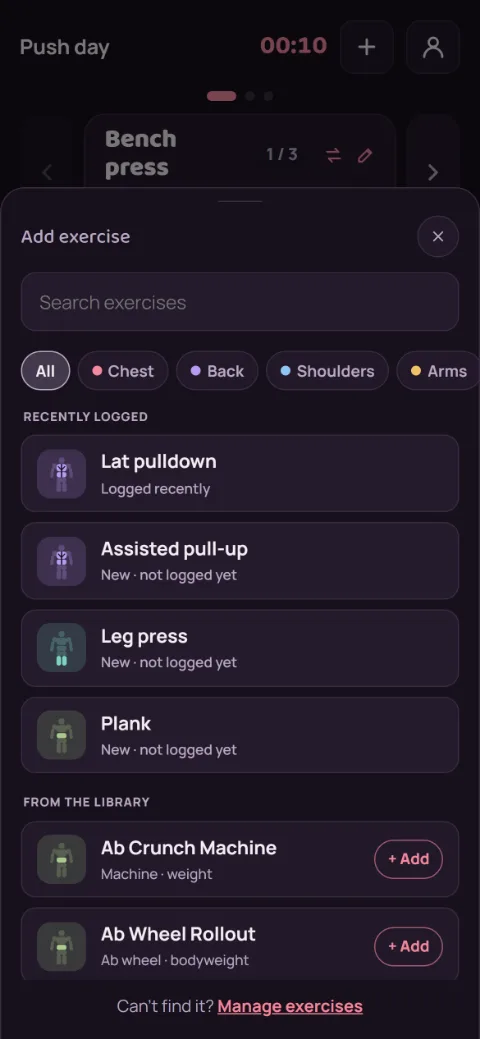
Tap + Exercise at the top. Search or filter by muscle group, and tap each exercise you want to add. Tap a library exercise’s name to see how it’s done first. Tap Done when you’re finished.
-
Fix a set
Tap the pencil on a logged set to change it, then tap the check to save. To remove it, tap Delete, then Confirm delete.
-
Finish
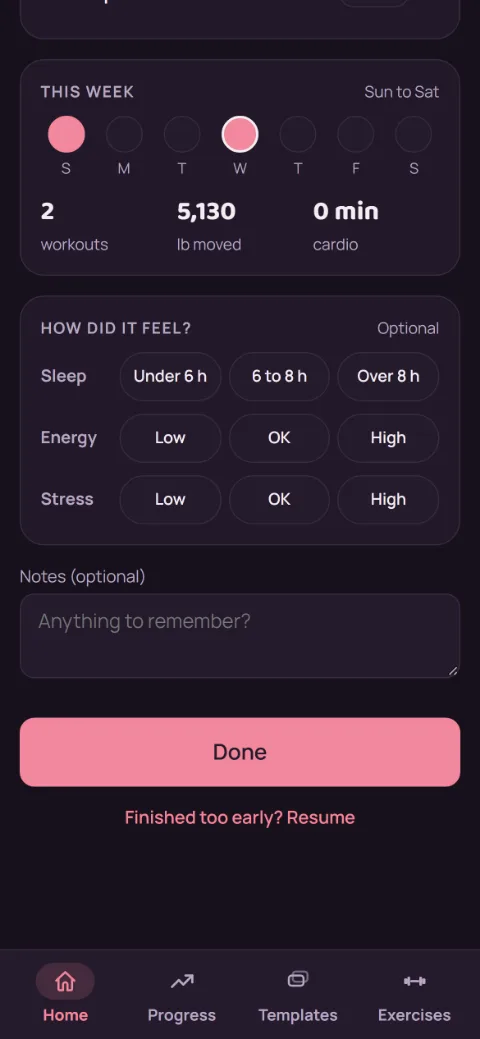
A routine workout finishes on its own after its last planned set. You can also tap Finish workout anytime. If sets are left, choose Keep going or Finish anyway. The recap shows your records and progress, with a box for notes. Ended too soon? Tap Finished too early? Resume.
Still stuck?
Email hello@repbunny.app and tell us what happened. A screenshot helps.
Get RepBunny
On Google Play now. iPhone coming soon.
Get it onGoogle Play